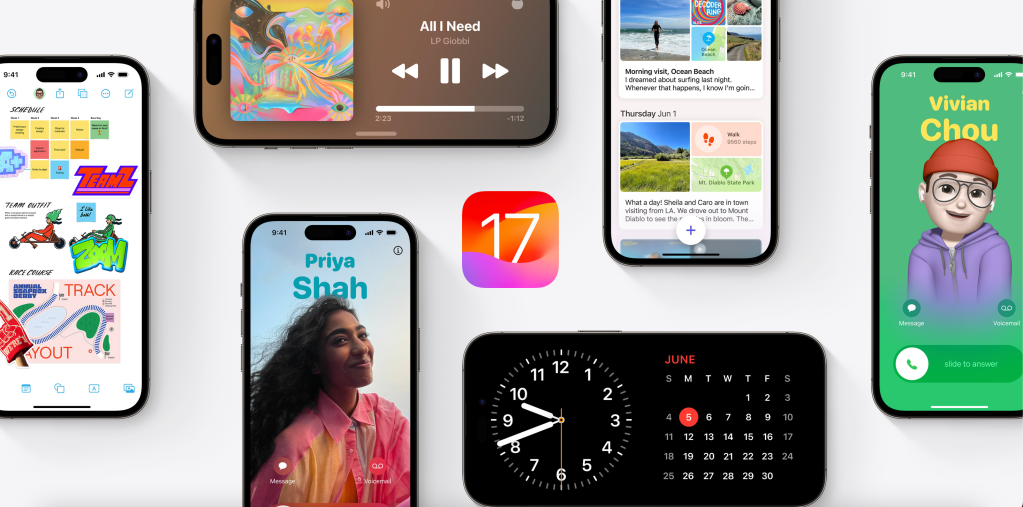
Leading up to iOS 17, we have all been excited for all the new features that are going to be released. For example, we’ve all heard about the Customizable Contact Posters, StandBy Mode, Stickers updates, and Interactive Widgets. But, I am assuming that most people gave not heard about anything more than that.
Sharing AirTags
With my family and I, we have many AirTags and ask each other “Where is this AirTag?” and “Where is that AirTag?” Now, Apple finally makes it possible to share AirTags with one another. Here’s what Apple says about it:
Share AirTag or Find My network accessories with up to five other people. Everyone in the group can use Precision Finding and play a sound to pinpoint the location of a shared AirTag when they’re nearby.
Since this is not one of the features that Apple has headlined on the iOS 17 page, it is not a major feature for Apple. For me, this will be a very important and practical feature that my family and I will use a constantly. I think this would be a game changer for basically anyone who owns an AirTag, making it easy to share the location of that item with anyone.
Sorting Grocery Lists
This is a feature that almost no one has probably heard of. It is such a minor feature that Apple has pushed it with the Reminders section in the bottom of the iOS 17 page. All Apple says about it is:
Grocery Lists automatically sort items into categories to make shopping easier.
But, with that being said, this small feature really will make a difference. I know whenever my parents go shopping they have to manually sort and group the items by dairy, meat, produce, etc, which can be time consuming at times. With it automatically sorting, now you can just add the item to the Grocery List and it will know what category to sort it under. Perfect for rushing to the store, and no time to manually label each item. A small, but practical feature.
Visual Look Up
Visual Look Up, which takes a photo (and now video) and will look up on the web more about it, or give you more information, receives a great update with iOS 17. Now, when selecting from a photo that delicious dish you ate at your favorite restaurant, it will find recipes online relating to that image so you can enjoy making it too. Visual Look Up also will now be able to detect and identify the symbols in your car, and tell you what is wrong too. Great for when you have a new or rental car, and don’t know what anything means. Very practical for those situations.
Siri
Each year Apple usually gives Siri some sort of update. This year, it is nothing major, but it will have a major impact. Now, you can just say “Siri” rather than having to say “Hey Siri.” This will be great for quick commands, without the formal activation. Also, Siri will not randomly activate when you say Siri, as it will understand if it is a command based on what you say afterwards. And, now you can say back-to-back commands without reactivating Siri. So, you can ask Siri to open an app and turn on a Focus all right after each other.
Personal Voice
This is the one feature which many people would not be using as often as the others. With saying a large amount of phrases, Apple will generate, in about 5 minutes, a voice that would sound as humanly similar to the one that is trying to be replicated. Here’s what Apple has to say about it:
Personal Voice helps people with speech loss create a voice that sounds like them, and use it with Live Speech to communicate in calls and conversations.
This would be very useful to replicate someone’s voice before they leave sp you don’t get lonely from them, or before someone is about to pass away. You always want to have the memories of them really talking, so Apple tries to make that more precious.
Overall, there are many features that have been popularized in iOS 17, but there are some smaller features which may be as, or more useful than those already known. I hope you try these new features out when iOS 17 is released soon.
Explore iOS 17 more on Apple’s website: iOS 17 Preview
 The Apple Enthusiast